
Your workspace starts with one primary entity: your own company. You can add more entities (subsidiaries, group companies, counterparties you track), and each one gets its own KYB record.
Before you start
- You need the Contributor, Editor, or Workspace Admin role. View Only members can browse entities but not create them.
- Entity creation lives on the KYB Manager page, not the dashboard.
Create the entity
- Open KYB Manager in the sidebar.
- Click the button to add a new entity.
- Enter the company's legal name. As you type, ComplyWise checks it against the entities you can already see.
- Pick the incorporation country from the country picker: start typing to search, countries are listed alphabetically by name.
- Save. The new entity opens with an empty KYB record, ready for documents.
The duplicate-name warning
If the name you type closely matches an existing entity (an exact match, or one name contained in the other), a warning appears naming the closest matches. It is advisory only: it never blocks you. If the match really is the same company, open the existing entity instead of creating a second one; if it's a genuinely different company with a similar name, continue and create it.
The warning only appears when creating an entity, never when editing one.
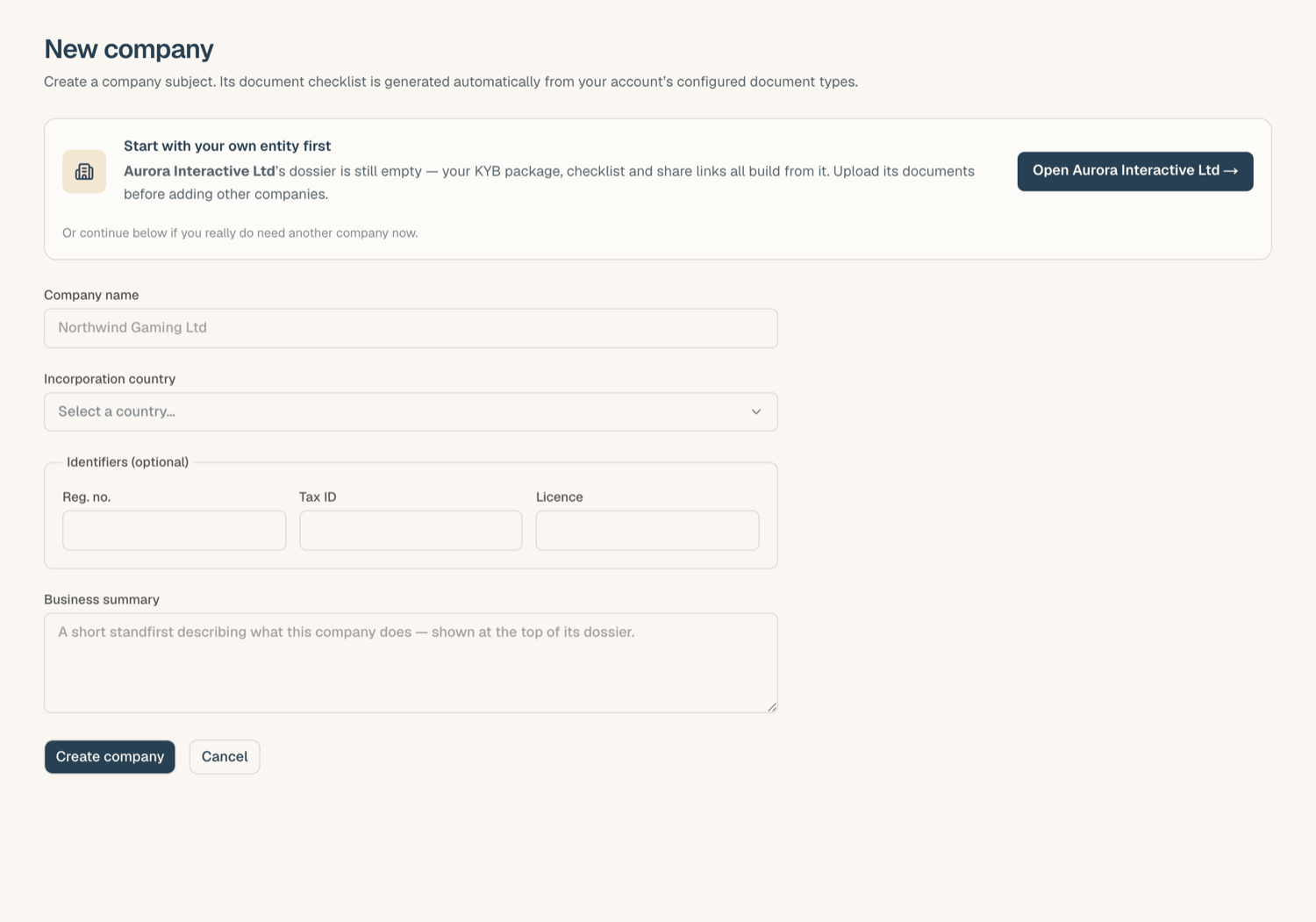
The "start with your own entity" notice
If your workspace's primary entity still has no documents uploaded, the new-entity form shows a notice suggesting you complete your own company first, with a direct link to open its KYB record. This is a nudge, not a gate: you can continue below the notice and create the new entity anyway. The notice disappears as soon as your primary entity has its first document.
Tips
- Legal name, not brand name. Use the registered legal name here; trading names and brands belong on the Fact Sheet as brands.
- Corporate shareholders don't need to be created by hand: adding a corporate owner in the ownership register creates a linked entity for it automatically. See Related entities & groups.
- Details like the registration number and addresses are added afterwards on the Corporate Overview tab; see Corporate overview & company details.
Related articles
- A tour of the KYB Manager: what you'll see once the entity exists
- Upload documents into your KYB record: the first thing to do next
- Corporate overview & company details: identifiers and addresses
- Related entities & groups: corporate owners and group view