
You control how each kind of notification reaches you: in the bell, by email, both, or neither. Preferences are personal, so changing yours affects no one else in the workspace.
Open your preferences
- Click your avatar in the sidebar and open your Profile.
- Switch to the Notifications tab.
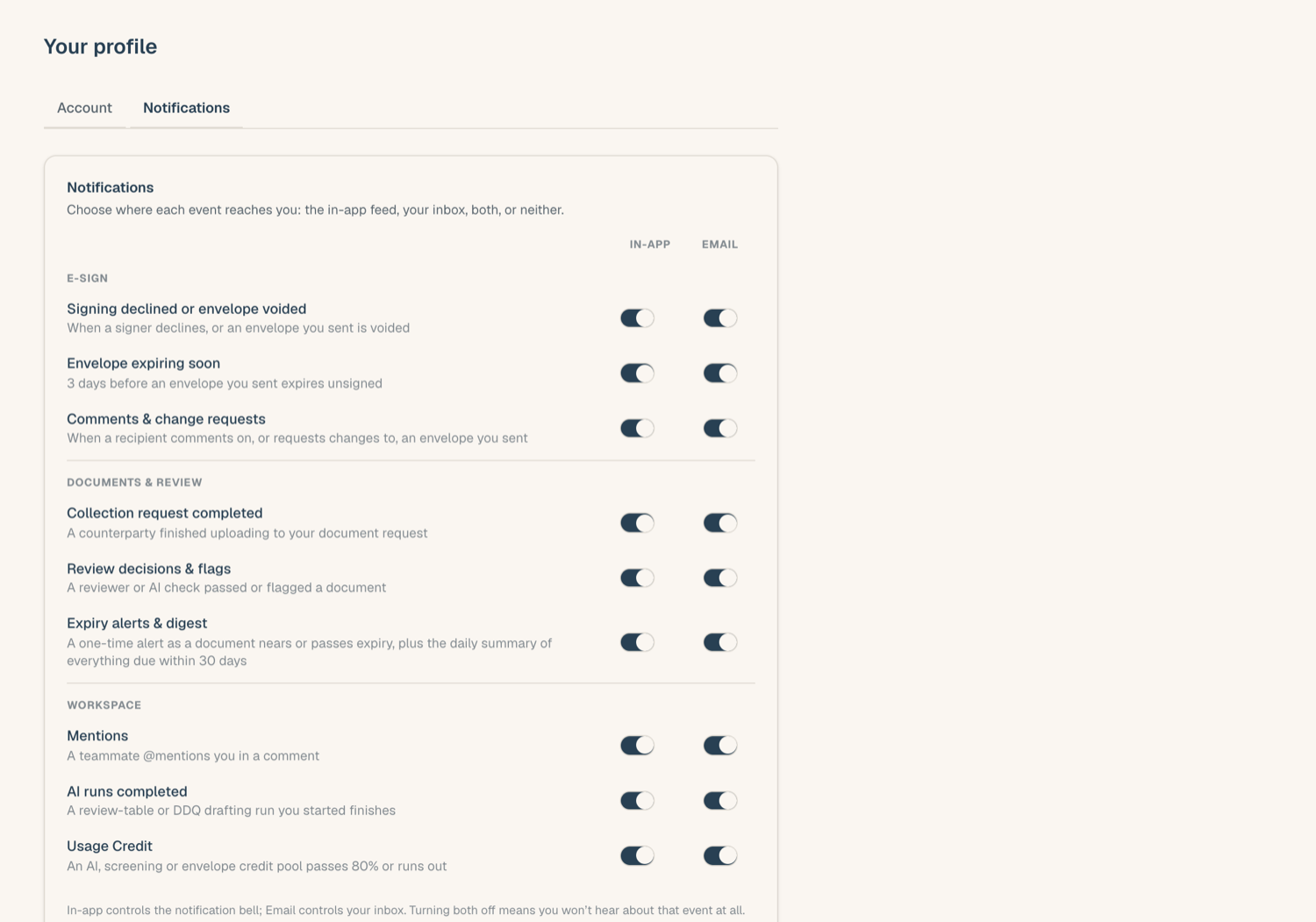
The In-app | Email matrix
Each notification kind is a row with two toggles:
- In-app controls whether the event lands in your bell feed.
- Email controls whether it's also sent to your inbox.
Everything starts on. Turn off either toggle to mute that channel for that kind: for example, keep e-sign comments in the bell but stop the emails, or keep credit-warning emails while decluttering your feed. Turning both off silences the kind entirely for you.
Changes take effect immediately, and only for events after the change: nothing already in your feed disappears.
Grouped toggles
Related kinds share one row where splitting them wouldn't make sense:
- Expiry alerts & digest: one toggle pair governs both the per-document alerts (30 days, 7 days, expired) and the daily expiry digest.
- Envelope declined and voided notifications travel together as envelope outcome events.
Muting a grouped row mutes everything in the group on that channel.
What you can't mute away
Preferences shape delivery, not the record. A muted event still happens and still shows where it lives: a flagged document still shows its flag in the KYB Manager, an expired document still reads Expired, and the envelope activity timeline still logs everything. Muting only stops the ping.
Some rows appear only if they apply to you: kinds tied to a permission (review decisions, credit warnings) are shown to members who hold it.
Suggested setups
- Compliance lead: leave everything on; the pinned action-needed items in the bell are your queue.
- Occasional user: mute in-app for routine kinds and keep email, so your inbox is the single place to check.
- Heavy e-sign sender: keep changes-requested and declined on both channels, mute per-comment emails, and rely on the bell for the rest.