
Every library document supports threaded comments, anchored to the exact spot on the page they're about. Anyone who can view a document can comment on it, including View Only members.
Where comments live
Comment threads appear in two places, always in sync:
- the Comments tab of the document workspace rail, readable without opening the editor
- as numbered pins on the pages themselves, in the editor and on the e-sign surfaces
Click a pin to jump to its thread; click a thread to highlight its pin.
Start a thread
- Open the document and switch the rail to Comments (or open the Edit tab to place a pin directly).
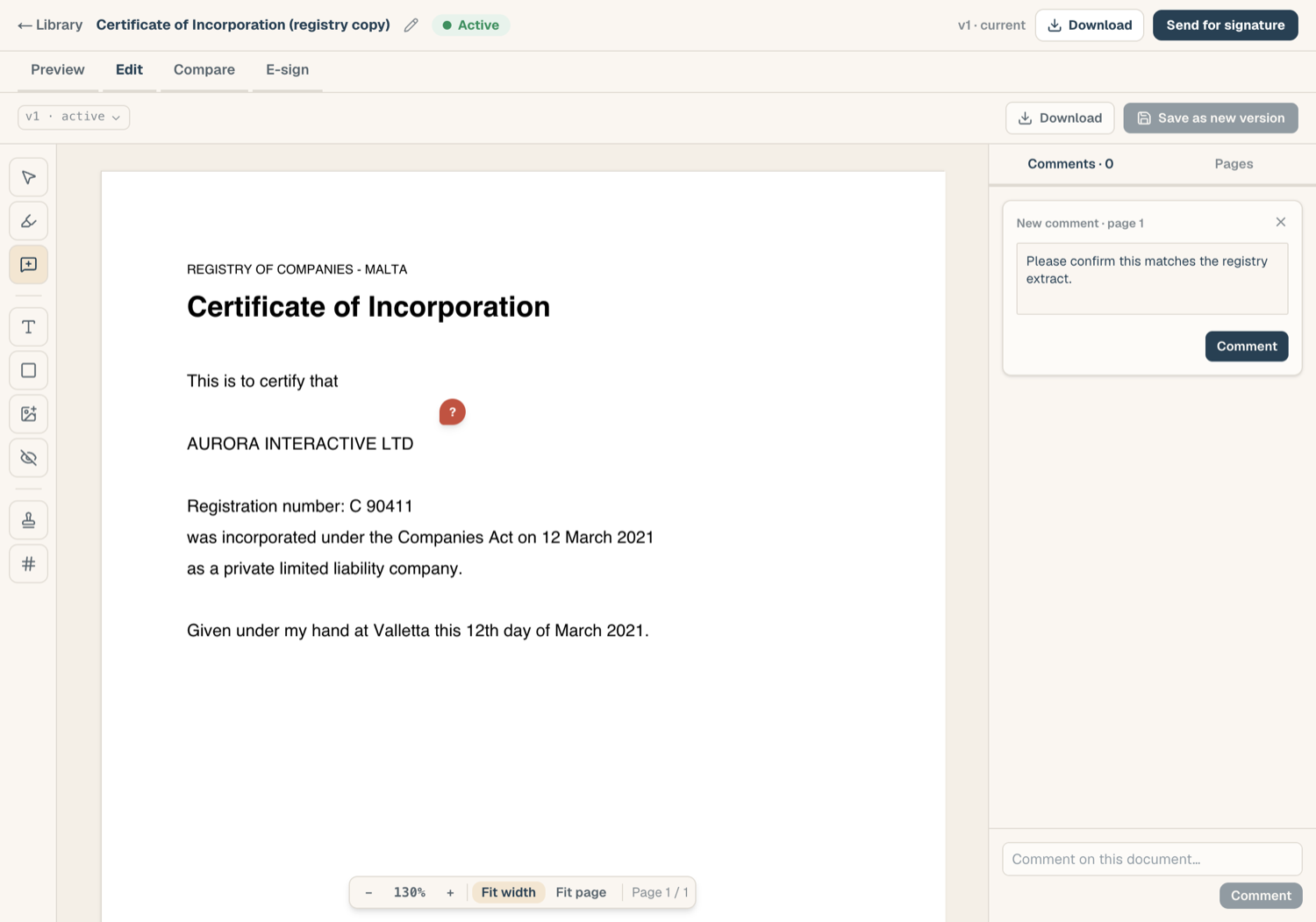
- To anchor a comment, choose Comment on the page, then click the spot: a pin lands and the composer opens.
- Type and press Enter to post. Shift+Enter adds a line break.
You can also post a document-level comment with no pin when the point isn't about one spot.
Reply, resolve, edit
- Reply in any thread; replies stay nested under the root comment.
- Resolve a thread when it's handled: the author or anyone with edit rights can resolve, and a resolved thread can be reopened if the discussion isn't done.
- Edit or delete your own comments. Members with edit rights can moderate others' comments when needed; nobody can rewrite someone else's words.
Comment visibility on documents out for signature
Once a document has an e-sign envelope, every thread carries an audience:
- Internal: visible only to your workspace. This is the default.
- Visible to signers: signers see the thread on their signing page and can reply there.
You choose the audience when starting a thread. Signers' own comments arrive as signer-visible threads, attributed to them.
Publish an internal thread to signers
If an internal discussion turns out to be something the counterparty should see:
- Open the thread and choose Publish to signers.
- Confirm. The whole thread, replies included, becomes visible to signers.
Publishing is one-way: you can't take a thread back to internal once signers may have seen it, so the confirmation step is there for a reason.
Orphaned threads
Comments anchor to a document and a page, so they survive new versions. If a save removes the page a thread was pinned to, the thread isn't lost: it stays in the rail with an Orphaned badge so the discussion trail is preserved even though its pin has nowhere to land.
Related articles
- The document workspace: where the Comments rail lives
- Edit a PDF: placing pins while editing
- Work with Word documents: importing comments from a Word file