
The bell in the top bar is your feed of everything in ComplyWise that involves you: documents that need a decision, uploads that arrived, envelopes that changed state, AI runs that finished, and mentions. This article explains how to read it.
The feed
Click the bell to open the feed. Each item names the event, when it happened, and what it concerns, newest first. Items that need an action from you (a flagged document awaiting your review, for example) are pinned at the top so they don't scroll away under routine updates.
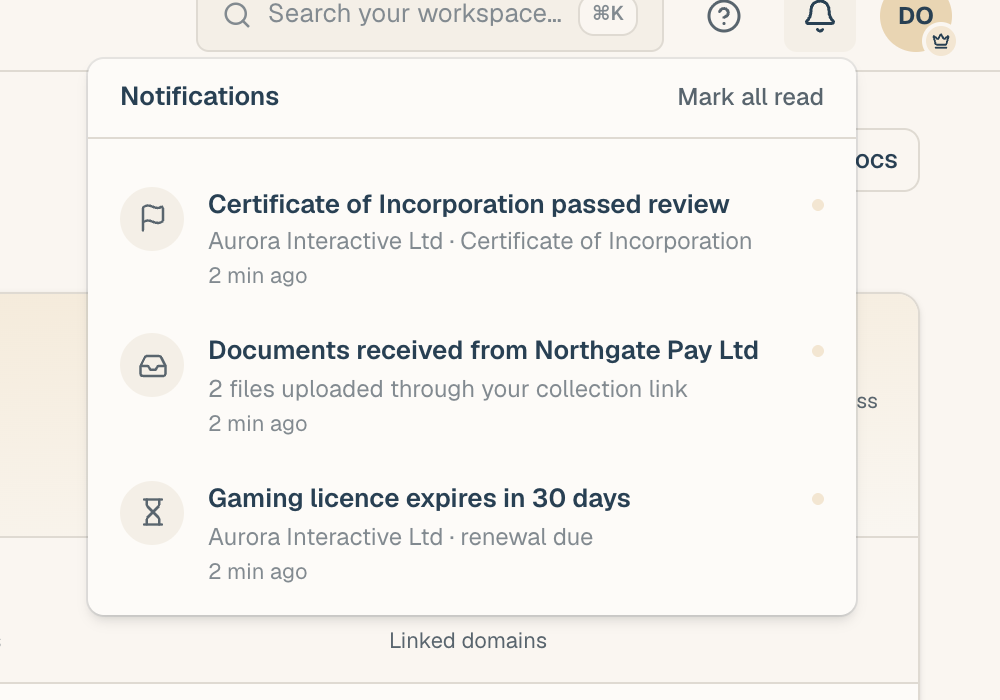
Unread state
- The bell shows an unread badge with the count of items you haven't seen.
- Inside the feed, unread items carry a dot.
- Clicking an item marks it read and takes you straight to the thing itself: the document's drawer, the envelope, the conversation, the mention.
- Mark all read clears the badge in one click without visiting each item.
Reading a mention in the bell also marks it seen in its original conversation, and vice versa: the two never disagree.
What lands here
The feed carries review decisions and flags, collection-link uploads, e-sign events, finished AI runs, mentions, expiry alerts, digests, and credit warnings. What notifies you has the full table.
Many of these events also send an email. The feed and email are separate channels: you can mute either one per event type, and muting email never empties your bell (or the reverse). See Notification preferences.
Housekeeping
Old items retire from the feed automatically after roughly 90 days. Anything that mattered lives on where it happened: the document's history, the envelope's activity timeline, and the audit trail are the permanent records, and the bell is just the way you hear about them.