
The Corporate Overview tab holds the company's structured details: identifiers, addresses, and website. The Sites & Domains tab tracks the company's web presence. Together they answer the "company details" section of almost every onboarding form.
Before you start
- Editing details requires the Contributor, Editor, or Workspace Admin role.
Identifiers
- Open the entity and go to the Corporate Overview tab.
- Add identifiers such as the registration number as labeled values.
- These render in the KYB Manager header area and feed the Fact Sheet, exports, and template filling, so enter them once and reuse them everywhere.
Addresses
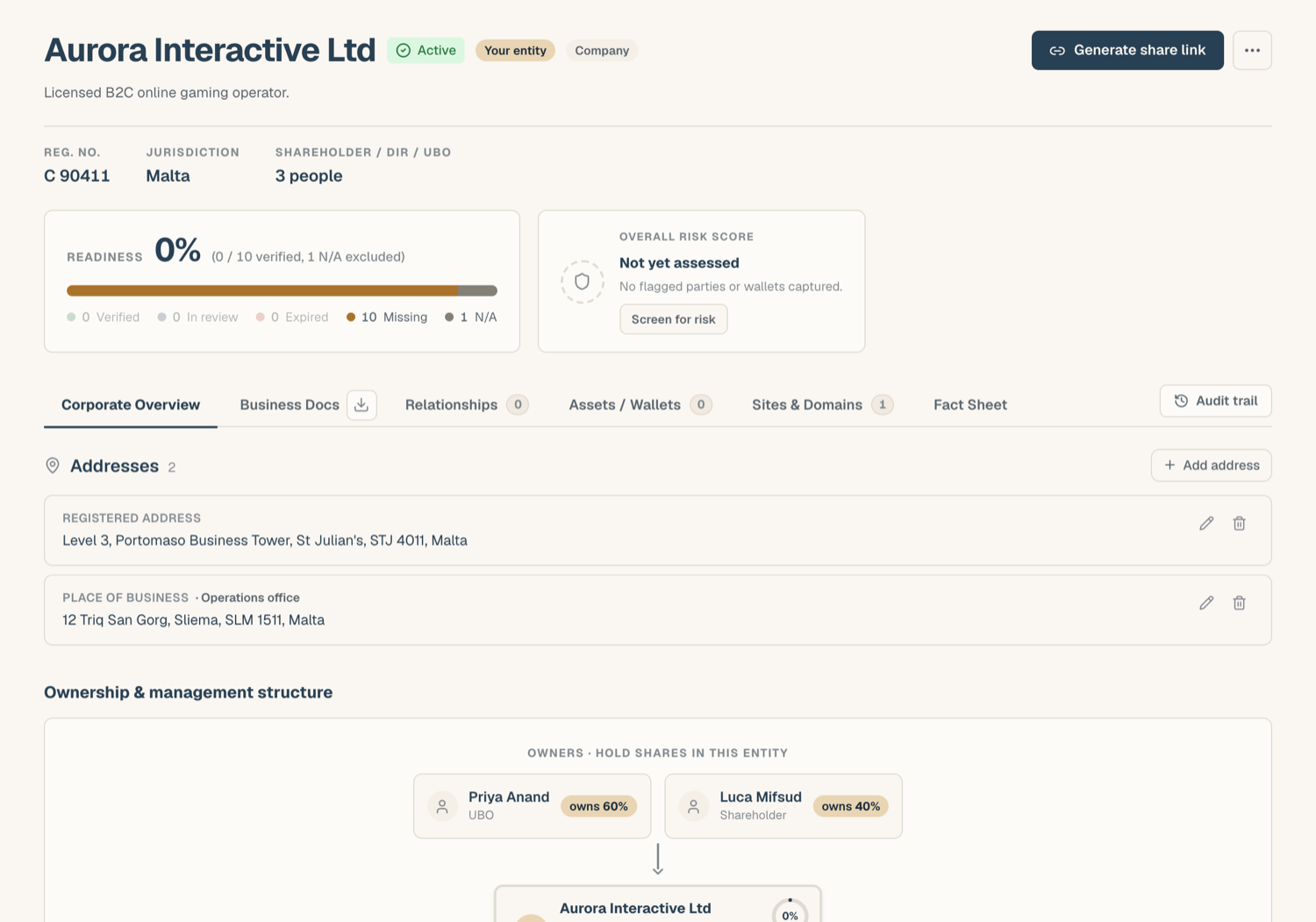
Addresses are structured (address line, city, state or region, postal code, country) so they format correctly wherever they're reused:
- In the Addresses card, add an address and choose its kind: registered or place of business.
- Fill the lines; the address line is required, the country comes from the country picker.
- Optionally give it a label (useful when there are several offices). You can add multiple addresses of either kind.
Addresses flow through to the Fact Sheet and to the company-details helper when filling document templates.
Website and the domain quick-pick
The website field connects to the entity's domains: when the KYB record already has domains on record, a quick-pick lets you choose one instead of typing, and it fills the URL and attaches the source in one step.
The Sites & Domains tab
Domains get their own tab because they carry more than a URL:
- Add a domain to put it on record for the entity.
- WHOIS check queries the domain's registry directly and records the registrar, key dates, and name servers. Under the result the card shows the Source it used (the registry's RDAP service, or a port 43 WHOIS query for registries without one) and the name servers it found. Re-run refreshes a single domain, and the check is stamped with the date it last ran. If the registry returns no record, the card says so rather than showing a made-up one.
- Edit a domain's details at any time.
- Brand link: multi-brand operators can link a domain to one of the entity's brands; see Brands.
- Domain-anchored documents: each domain can hold its own document slots (for example, hosting or licensing evidence tied to that site), with the same statuses and checks as any other document.
Tips
- Country values are picked, not typed: the picker stores a clean country value so exports and shared views render consistently.
- Keep the registered address current: it's one of the first things a counterparty checks against the certificate of incorporation.
Related articles
- A tour of the KYB Manager: where these tabs fit
- The Fact Sheet: where these details resurface as facts
- Brands: linking domains to brands
- Upload documents into your KYB record: filling the document slots