
Audits is where you run an external audit from start to finish: the auditor's request list, the evidence you submit against each item, the back-and-forth on each one, and the corrective action plan that comes out of it. It is built for the recurring cycles a regulated business faces: periodic audits by an audit firm, licence renewals, and a corporate service provider's annual review.
How an audit is organised
- Audit pack: one audit engagement. It carries the audit type (for example "Provider audit" or "CSP audit"; pick a suggestion or type a new one, which then stays available for your workspace), the auditor's name, the period under review, the date the request arrived, the due date, and optionally the entity it concerns.
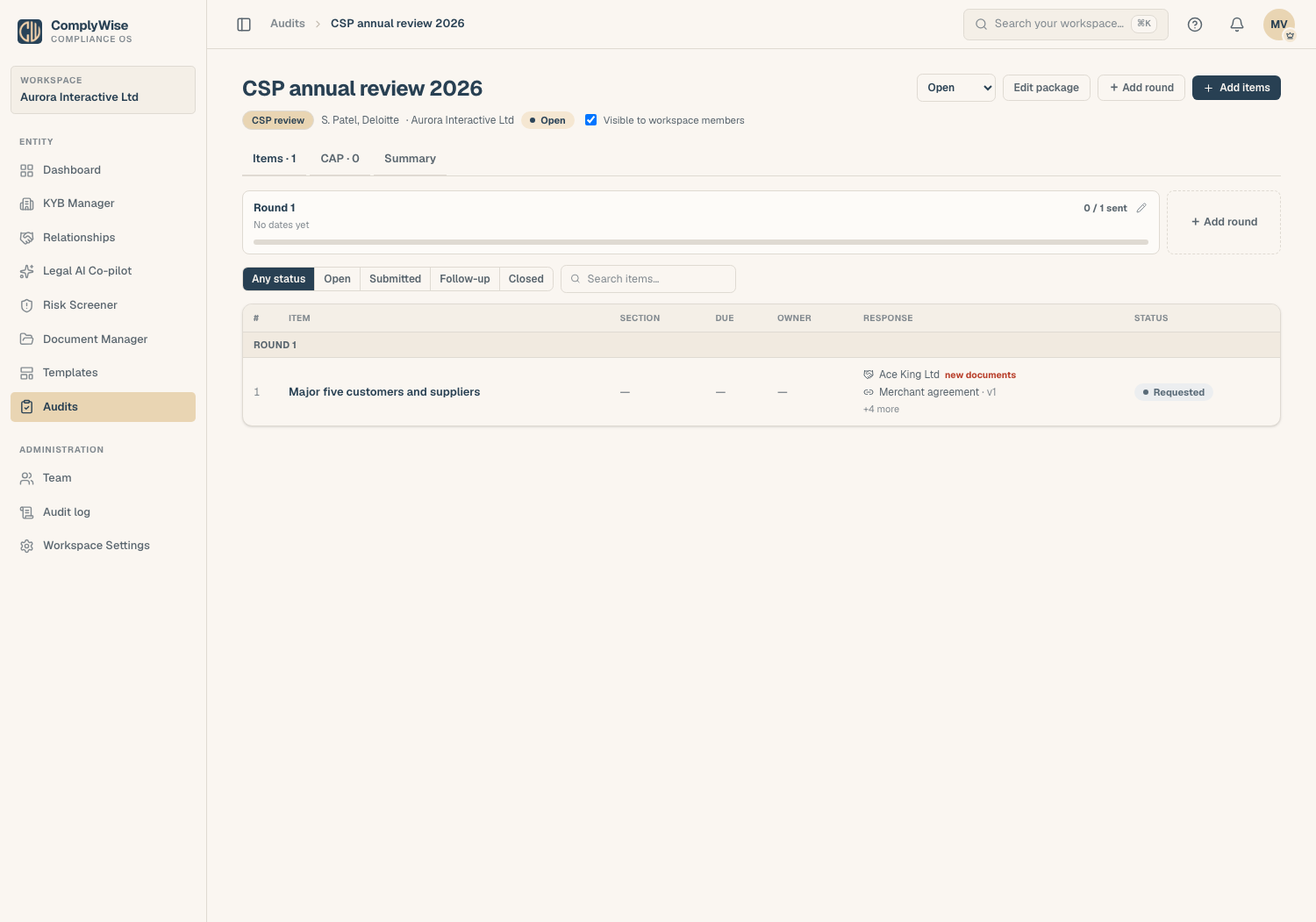
- Rounds: auditors send requests in tranches. Each round is its own page inside the pack, with its items, dates and the source of the request; a follow-up request list becomes Round 2. The rounds sit in a strip under the pack's tabs, so an audit can have as many as it needs.
- Items: one line of the auditor's request list each ("Register of directors", "Major five customers and suppliers"). An item has a section, an owner in your team, a due date, and a status.
- Responses: what you submit against an item: an uploaded file, a document from the library or the KYB Manager, a relationship from the register, a captured list, or a note.
- Thread: the conversation on an item, including the auditor's feedback recorded on their behalf.
The pack's Overview shows one card per round, the counts, what is still outstanding, and which submitted documents have changed since submission, and is where you export the pack. The CAP tab holds the corrective action plan and the rubric it scores against. The Access tab manages read-only links for the auditor. Open a round from its card or from the rounds strip to work its items.
Statuses
| Level | Statuses |
|---|---|
| Audit pack | Open, Closed |
| Item | Requested (nothing submitted yet), Submitted, Follow-up (the auditor came back with questions), Closed |
The Audits page lists open audit packs, open items, and packs due within 7 days.
Create an audit pack
- Open Audits in the sidebar and click the create action.
- Enter a Title (for example "H1 2026 periodic audit"), the Type (pick one already used in the workspace or type a new one), the Auditor, the Period, the date the request was Received, the Due date, and optionally the Company it concerns.
- Save. The pack opens with its first round, ready for items.
Tick Visible to workspace members to let every member with audit access see the pack; leave it off while you assemble it.
Who can do what
Managing audits (creating audit packs, adding items and responses, working the CAP) needs the Contributor, Editor, or Workspace Admin role. View Only and External Auditor members can read packages made visible to members. Audits is a module: if the sidebar item opens a page saying it is not enabled, ask the platform team to switch it on.
Related articles
- Respond to audit items: add items, submit evidence, export the pack, share it with the auditor
- The corrective action plan: track findings and actions with your risk rubric
- The Relationships register: the source for customer and supplier lists