
Regulator packs are curated collections of official regulatory sources, ingested and maintained by the platform team. Scope a conversation to a pack and the Copilot answers from that regulator's actual texts, with links out to the official source.
What a pack contains
Each pack bundles the primary sources for one regime: legislation, regulations, and official guidance, fetched from the regulator's own publications. Typical packs cover areas such as Malta gaming, EU anti-money-laundering rules, MiCA, and FATF standards. The exact packs available in your workspace depend on what the platform team has activated.
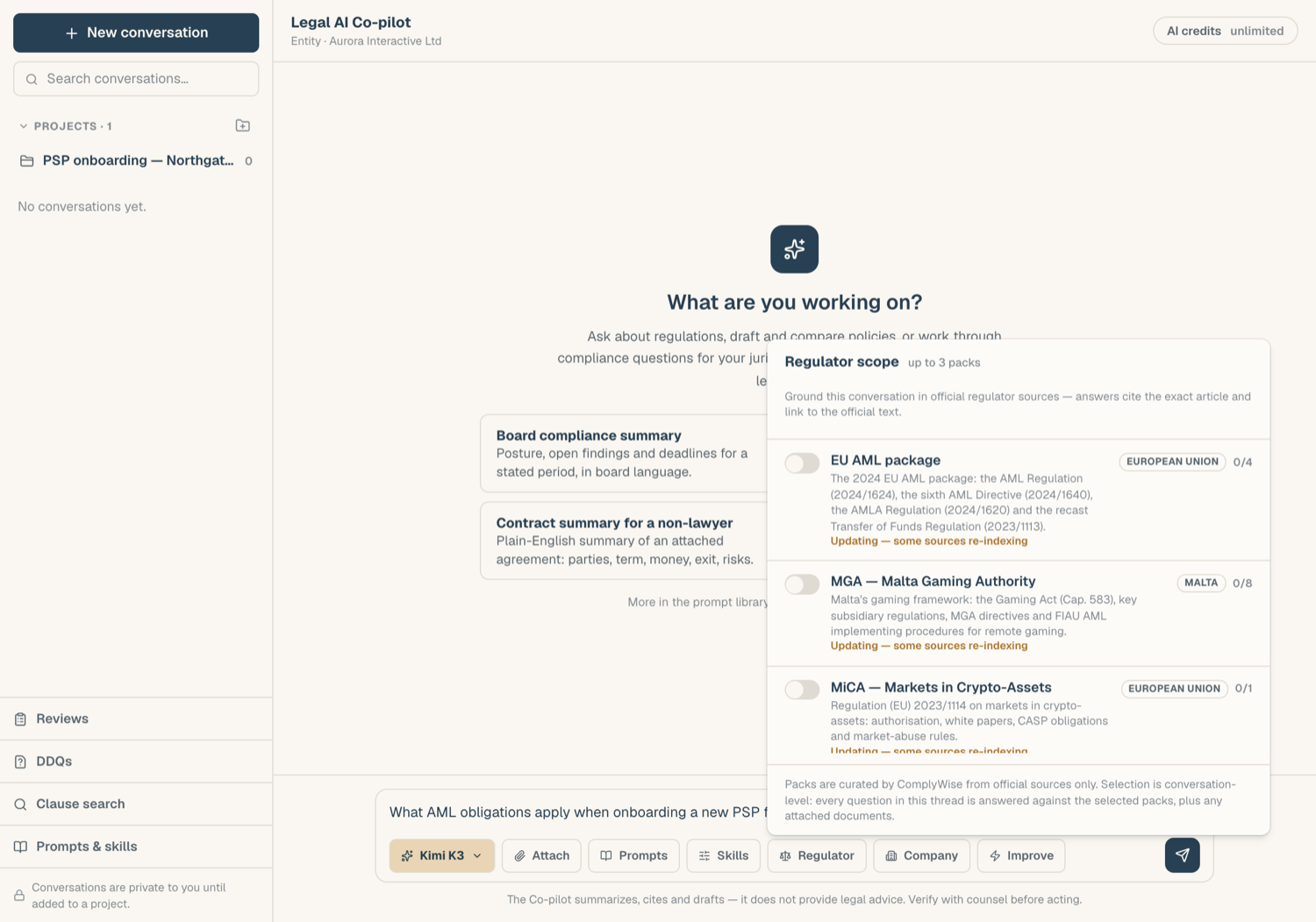
Add packs to a conversation
- In a conversation, open the Regulator picker (the scales icon) in the composer.
- Select up to 3 packs. Each appears as a chip above the composer.
- Ask your question. Answers grounded in a pack carry the Grounded badge naming the packs used.
You can add packs before your first message; they attach when the conversation starts. Remove a chip to drop a pack from the conversation.
Read pack citations
Citations from a pack behave like document citations, with one difference:
- Click the numbered marker to see the verbatim passage.
- The popover notes the content was ingested from the official source, and offers an Official source link that opens the regulator's own publication in a new tab.
Use the official link when you need to quote or rely on the text: the pack is a retrieval copy, the regulator's publication is authoritative.
Packs on projects
A project has its own regulator scope card. Packs set there apply to every conversation in the project, as a live scope: if the platform team updates a pack, project conversations use the updated content. The 3-pack limit applies per conversation.
Who maintains packs
Packs are authored and kept current by the platform team; workspaces cannot edit them. A pack that has been deactivated disappears from the picker but does not delete your past conversations. If a regime you need is missing, ask your platform team, or support@complywise.io.
Related articles
- Ground answers in your documents: attach your own files
- Clause search: search pack passages directly, no credits
- Projects: shared scope for a whole matter