
The Fact Sheet is the entity's DDQ-ready answer bank: the facts counterparties ask for, organized by the sections a due-diligence questionnaire uses, kept current and sourced. When a DDQ lands, the answers are already written down.
Where it lives
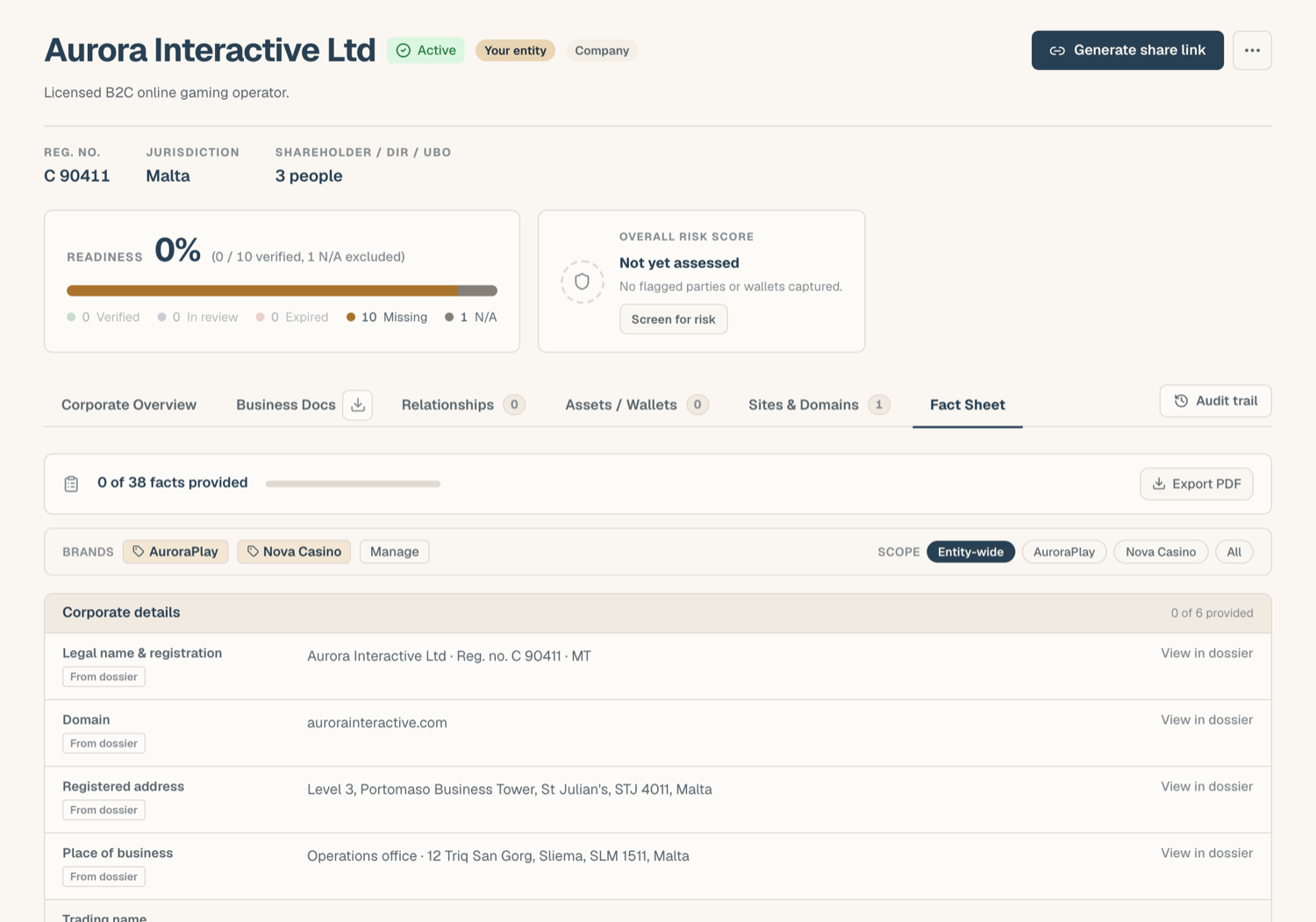
Open the entity and go to the Fact Sheet tab. A readiness bar at the top shows how much of the catalog is filled, and unfilled catalog facts appear as prompts so you can see what's still missing.
Derived vs curated facts
The sheet mixes two kinds of rows:
- Derived rows come live from the KYB record: legal name and registration, registered and place-of-business addresses, domains, directors and UBOs, group entities, the screening band, and each bank, EMI, or PSP recorded as a payment provider. They update automatically when the KYB record changes and can't drift out of date. Rows carrying KYB record data you can change show an edit pencil: editing writes straight back to the KYB record without leaving the tab, and View in KYB Manager jumps to the tab that owns the row. You can also add from here, with Add address in Corporate and Add bank / PSP in Banking & PSP.
Three standard fields have been retired because the KYB record already holds them: principal place of business, banks, and PSPs. They no longer prompt for a value and no longer count towards readiness. If your workspace had filled one, the old value still shows, marked legacy, with a hint to record the address or the provider in the KYB Manager and then delete the stored value.
- Curated rows are facts you write and maintain: policies, operational answers, narrative descriptions. Each curated fact can carry up to 5 sources (links or references backing the answer) and a review date. Facts not reviewed within 12 months show as review-due, so stale answers surface instead of hiding.
The catalog of standard facts is organized into DDQ sections; you can also add free-labeled facts of your own.
Include a relationship's terms
Each PSP, EMI, or bank row in Banking has an Include terms switch, available once that relationship's agreement has been read in the Relationships section (see Documents on a relationship). It is off by default: the extracted terms stay on the relationship and the sheet shows the provider's name and role only. Switch it on and the row also shows the merchant or account reference and the agreement term (end date, renewal, termination notice), in the sheet, in its PDF export, and in what the Copilot is grounded on. Choose it from the Fact Sheet; nothing appears there otherwise.
Entity vs brand scope
For multi-brand operators, a curated fact can be scoped to a specific brand. The scope filter reads the sheet three ways: the entity alone, one brand, or everything. When a brand is in view, its value wins over the entity-wide value for the same fact, which is how one entity answers differently, and correctly, per brand. See Brands.
PDF export
The sheet exports to a clean PDF for sending alongside a questionnaire. The export dialog lets you pick:
- the scope (entity, or a specific brand),
- the sections to include,
- whether to include source documents as an appendix. The library and KYB Manager documents cited by the included facts are appended after the sheet, numbered A1, A2 and so on, and each fact's source line links to its appendix page. Web links stay clickable, Word files are listed rather than included, and the export is capped at 200 MB.
Grounding the AI Copilot
If your workspace has the Legal AI Copilot enabled, associating a company with a chat conversation injects that entity's Fact Sheet as context. The Copilot's answers are then grounded in your recorded facts (the badge in the chat says so), which makes it a fast first-drafter for questionnaire responses.
Related articles
- Brands: managing brands and brand-scoped facts
- Corporate overview & company details: where derived facts come from
- A tour of the KYB Manager: the Fact Sheet in context