
Every uploaded document goes through the checks your workspace's verification recipe requires. This article shows you where those checks live, how to complete your part, and how to read flags and comments.
Before you start
- Marking a document self-reviewed requires review rights: Contributor, Editor, or Workspace Admin. View Only members can read the checks but not decide them.
- Which checks apply (self-review, AI verification, platform review) depends on your workspace's verification recipe. Not every document type has every check.
The checks ledger
- Open the entity's Business Docs tab and click a slot to open its drawer.
- The drawer lists each check that applies to this document, with its current state:
- AI verification runs automatically after upload and either passes or flags the document with a written reason. It reads every page in order, up to eight, so a record on a later page or a bundled register that covers two slots is found rather than missed. When a document is longer than the cap, the reason says so: (read the first 8 of 14 pages).
- Company self-review is your workspace's own confirmation that the document is correct.
- Platform review is done by the platform's compliance team; you'll see it as awaiting or decided.
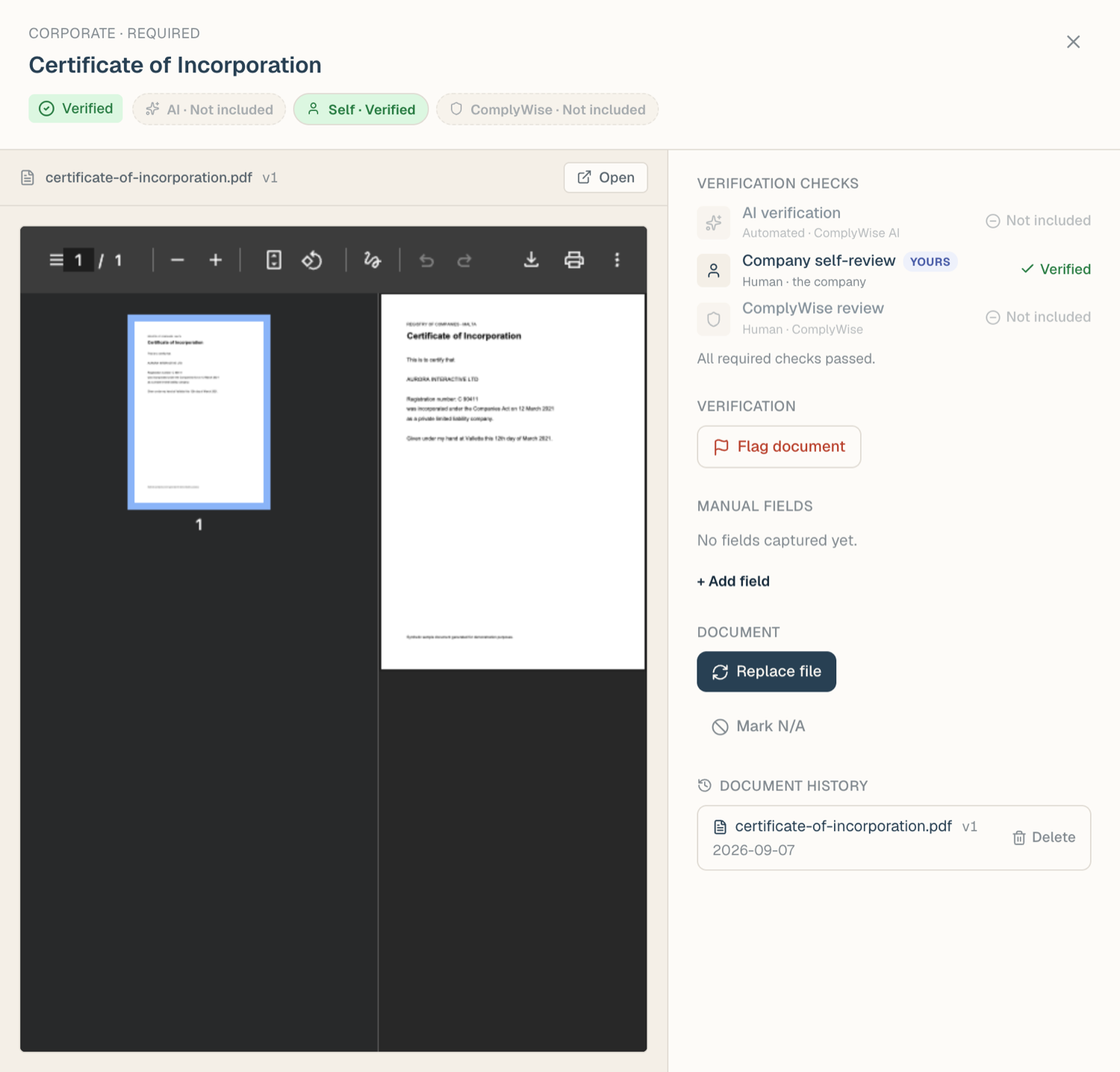
Mark a document self-reviewed
- In the slot drawer, find the self-review row in the checks ledger.
- Choose Pass to approve, or flag it with a note if something is wrong.
- Your decision is recorded on the row with your name. A note is optional when passing; a flag should always say why.
Pending review items across the workspace are also collected under the Review Tasks tab on the KYB Manager page, so reviewers don't have to open KYB records one by one.
Reading flags and comment threads
When any check flags a document, the slot moves to Needs attention and the flag appears in the drawer with its reason. Notes and decisions on a check build up into a comment thread, so the conversation about a document stays attached to it.
Threads are version-aware, and each version's comments sit in their own collapsible group with a count. The current version reads On v2 · 3 comments, and opens by itself only while an unresolved flag is on it, so a settled slot stays quiet. Older versions read On v1 · superseded 2026-08-06 · 2 comments. Expand either to read the history.
Resolving and dismissing flags
- Fix and re-upload: the usual path. A new version resets the checks; when the new version passes, the old flag is resolved.
- Pass over a flag: a reviewer with review rights can record a later pass on the same version, which resolves the earlier flag in the thread.
- Dismiss an AI flag: if the AI check flagged something a human reviewer judges to be fine, a reviewer can dismiss the flag with a note. The dismissal is recorded in the thread; nothing is deleted.
Related articles
- Document statuses: how check results map to status chips
- Upload documents into your KYB record: what runs automatically after upload
- Document data fields: the extracted values that accompany verification