
When you need documents from someone, a vendor, a corporate shareholder, or any counterparty, mint a collection link. They open it in a browser and upload straight into your KYB record: no account, no email attachments, no chasing.
Before you start
- You need the Contributor, Editor, or Workspace Admin role to create collection links.
- Know what you're asking for: requests can target a whole section of the KYB record or specific outstanding items, so the recipient sees a focused list rather than a vague ask.
Create a collection link
- Open KYB Manager in the sidebar and select the company the documents belong to.
- In the section or person block you need filled, choose Request documents.
- Review the requested items. The link is scoped to what you selected, so the recipient only sees those.
- Optionally record the recipient's email address. This does two things: ComplyWise can email the link for you, and the link becomes gated (see below).
- Optionally add a note. It travels with the email and appears to the recipient, so use it to explain what you need and by when.
- Mint the link. Copy it, or let ComplyWise send the email if you chose delivery.
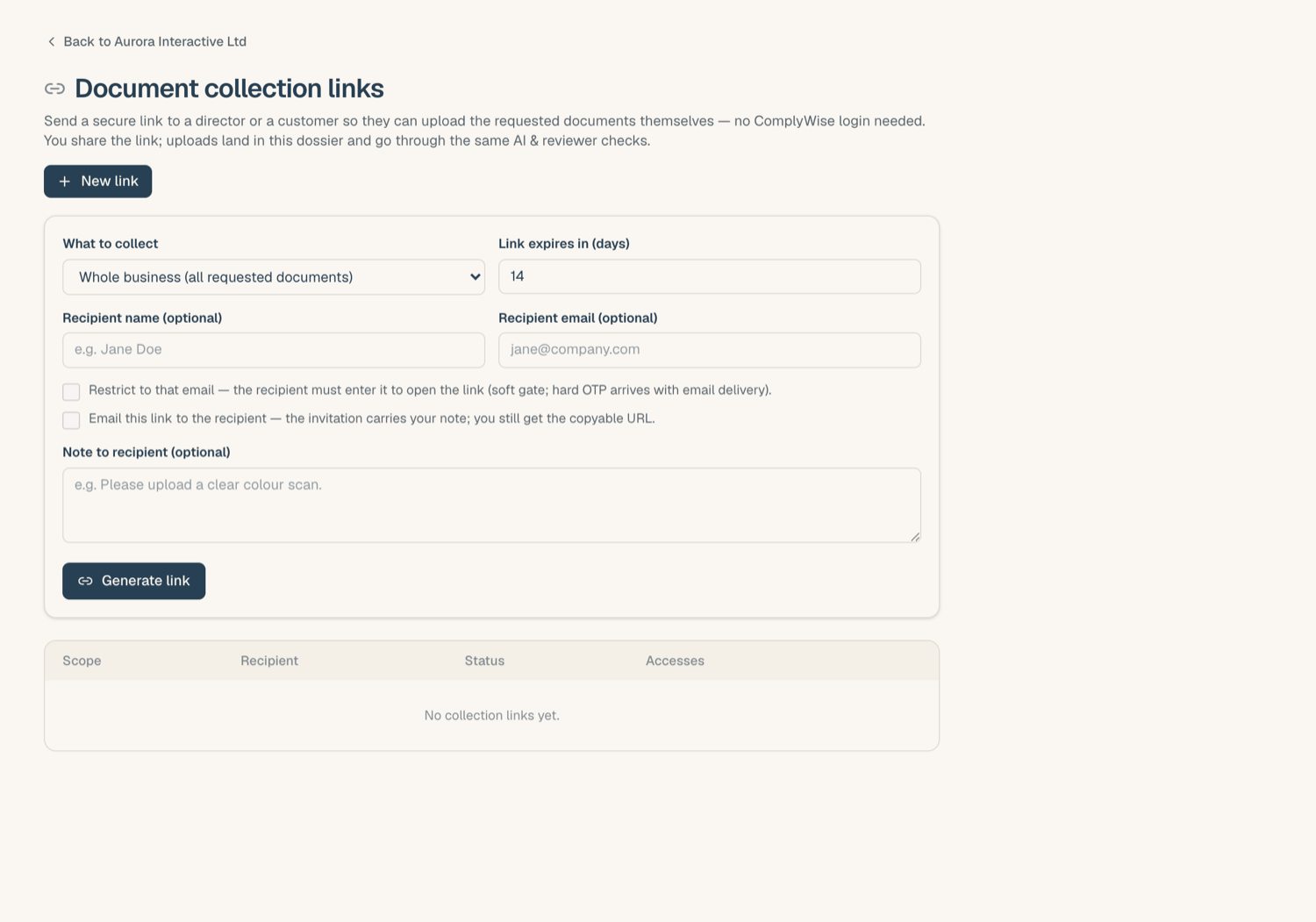
You can review and revoke all outstanding links on the entity's Collection links page.
Requesting a counterparty's own documents
To collect a counterparty's own paperwork (its certificate of incorporation, licence, the signed agreement), start from the party page in Relationships instead: Request from party on a document row mints a link scoped to that party's documents and shows it once for you to copy and send. See Documents on a relationship.
The recipient email gate
If you recorded a recipient email, the visitor must confirm that address before the request opens. This keeps a forwarded or leaked link from being usable by just anyone. Repeated wrong answers lock the link for the rest of the day, so it cannot be guessed.
If you skipped the email, the link is open to whoever holds it, and you own distribution.
When uploads arrive
- You get a notification (in your bell feed, and by email unless you've muted it) when the counterparty uploads. Multiple uploads through the same link within the hour are bundled into one notification, so a batch of ten files doesn't ping you ten times.
- Uploaded files land in the requested slots and enter your normal verification flow, exactly as if you had uploaded them yourself. See Upload documents into your KYB record.
Safety limits
Every collection link carries daily caps on opens and uploads. A link that is being abused simply stops responding until the next day, and nothing from a throttled attempt is stored. All access is logged with time and connection details.
Related articles
- External links: share, collect, and sign: how all tokened links work
- Share your KYB package: the outbound direction
- Audit and accountability: what ComplyWise records about link access