
The KYB Manager is the home page for each business entity in ComplyWise: everything a bank, PSP, or regulator will ask about the company lives here, organized into tabs. This article walks through what each part shows.
The header
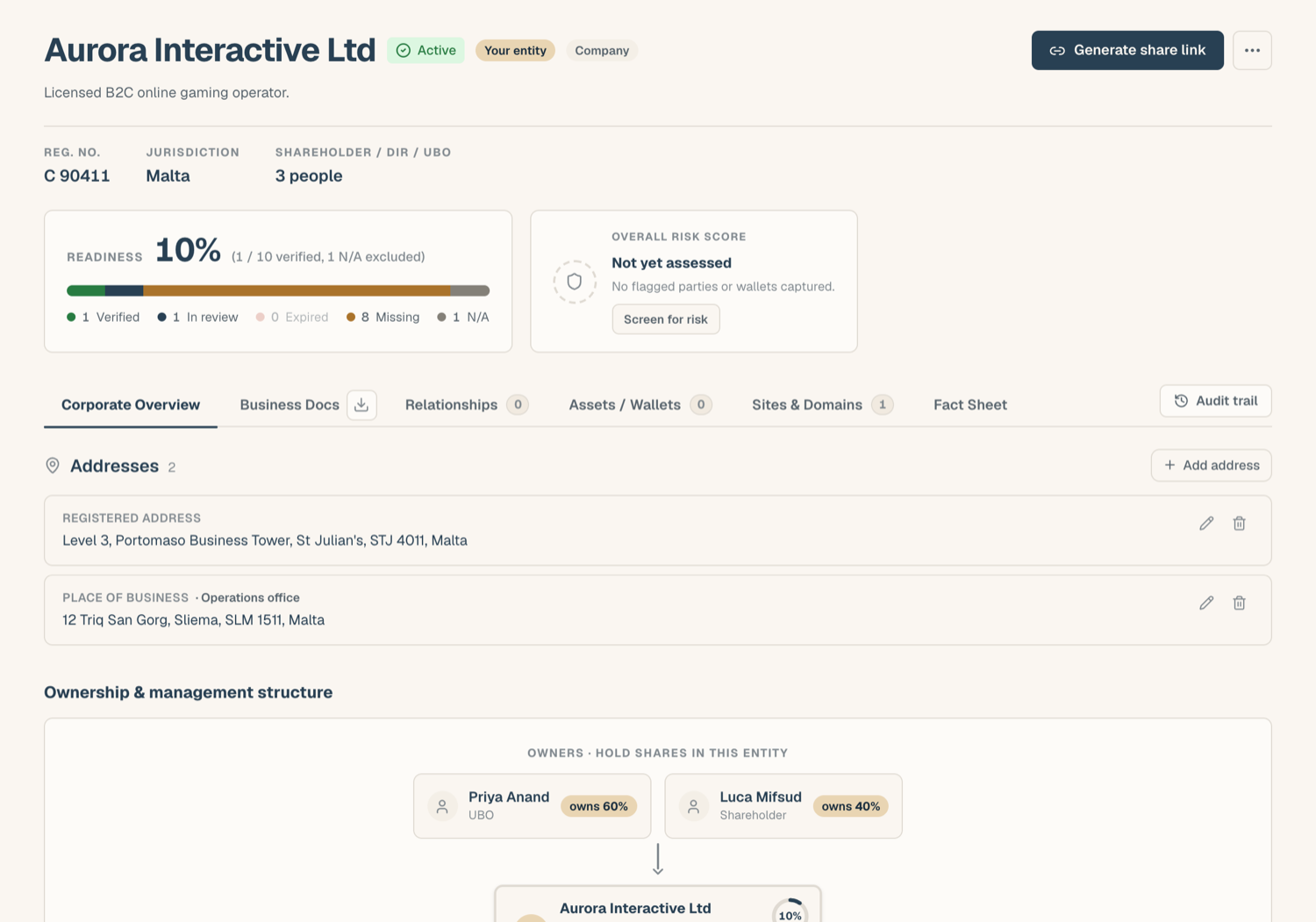
At the top of every entity's KYB Manager you'll find:
- Readiness: the percentage of in-scope documents that are verified. In scope means every required document, plus any optional document once you upload a file to it. Empty optional slots never drag the number down, and slots marked N/A drop out of the count entirely. The header spells the basis out under the score: Required documents, plus optional ones once uploaded.
- Risk score: the entity's screening result, shown as a colored band (Clear, Elevated, High, or Severe) once the company has been screened. Click View screening report to see the evidence behind it.
- Actions: sharing the KYB record, exporting a document pack, and (for platform administrators) erase and delete controls.
The tabs
| Tab | What it holds |
|---|---|
| Corporate Overview | Identifiers (registration number), registered and place-of-business addresses, website, and other company details; the Ownership & management structure (the ownership register and the corporate structure chart); and a one-line Relationships summary |
| Business Docs | The document checklist: one slot per document type, each with a status chip and its own drawer; below it, Company Shareholders, Directors, UBOs, where each person's own documents live |
| Assets / Wallets | The company's wallet register and wallet screening results |
| Sites & Domains | Web domains linked to the entity, with WHOIS lookups and domain-anchored documents |
| Fact Sheet | DDQ-ready facts about the company, plus brand management for multi-brand operators |
Relationships: a summary, managed elsewhere
The entity's dealings with outside parties (customers, downlines, suppliers, PSPs, EMIs, banks, partners) are managed in the Relationships section of the sidebar, not on the KYB record. The Corporate Overview tab keeps one line about them: Relationships · N parties, with the party names and their roles, and Manage in Relationships, which opens the register filtered to this entity. The documents on each relationship live on the party page there; see The Relationships register and Documents on a relationship.
The audit trail
Changes to the KYB record (uploads, review decisions, edits) are recorded in an audit trail. Workspace Admins can review it from the workspace's audit view, so there is always an answer to "who changed this, and when".
Review tasks
When your workspace's verification recipe includes review steps, pending items appear under the Review Tasks tab on the KYB Manager page. That is where reviewers mark documents self-reviewed and where flagged documents surface; see Verification & review.
Related articles
- Upload documents into your KYB record: filling the Business Docs checklist
- Document statuses: what each status chip means
- Corporate overview & company details: identifiers, addresses, and domains
- The Relationships register: where the entity's counterparties are managed
- The Fact Sheet: DDQ-ready facts and brand scoping