
The Relationships register is the workspace's single list of the outside parties your entities deal with: customers, suppliers, payment service providers (PSPs), EMIs, banks, and partners. Each real party is recorded once, and each entity's dealings with it are recorded as relationships. Auditors ask for "your top customers and suppliers" every cycle; the register is where that answer lives.
One party, many relationships
A party is the outside organisation or individual: its name, legal name, jurisdiction, registration number, website, and categories. A relationship is one entity's dealings with that party in one role: for example, "Aurora Interactive Ltd has Jeton Payments as a PSP since March 2025, account reference MID-1". A party that serves two of your entities has one record and two relationships, so its screening result, documents, and details are never duplicated.
Roles are Customer, Downline, Supplier, PSP, EMI, Bank, Partner, and Other. The register groups them as Customers, Downlines, Suppliers, PSPs & banks, and Partners.
The register page
Open Relationships in the sidebar. The page shows:
- Status: every party carries a lifecycle status, Active, Inactive or Terminated. Set it from the party page; filter the list by it with the status switch next to the group tabs. A terminated party stays in the list with the date it was terminated.
- Group tabs: All, Customers, Downlines, Suppliers, PSPs & banks, Partners, each with its count.
- Filters: search by name, legal name, or registration number; narrow to parties related to one entity; filter by screening result; show only parties with no document on file.
- Actions: Add party, Import CSV, and Merge.
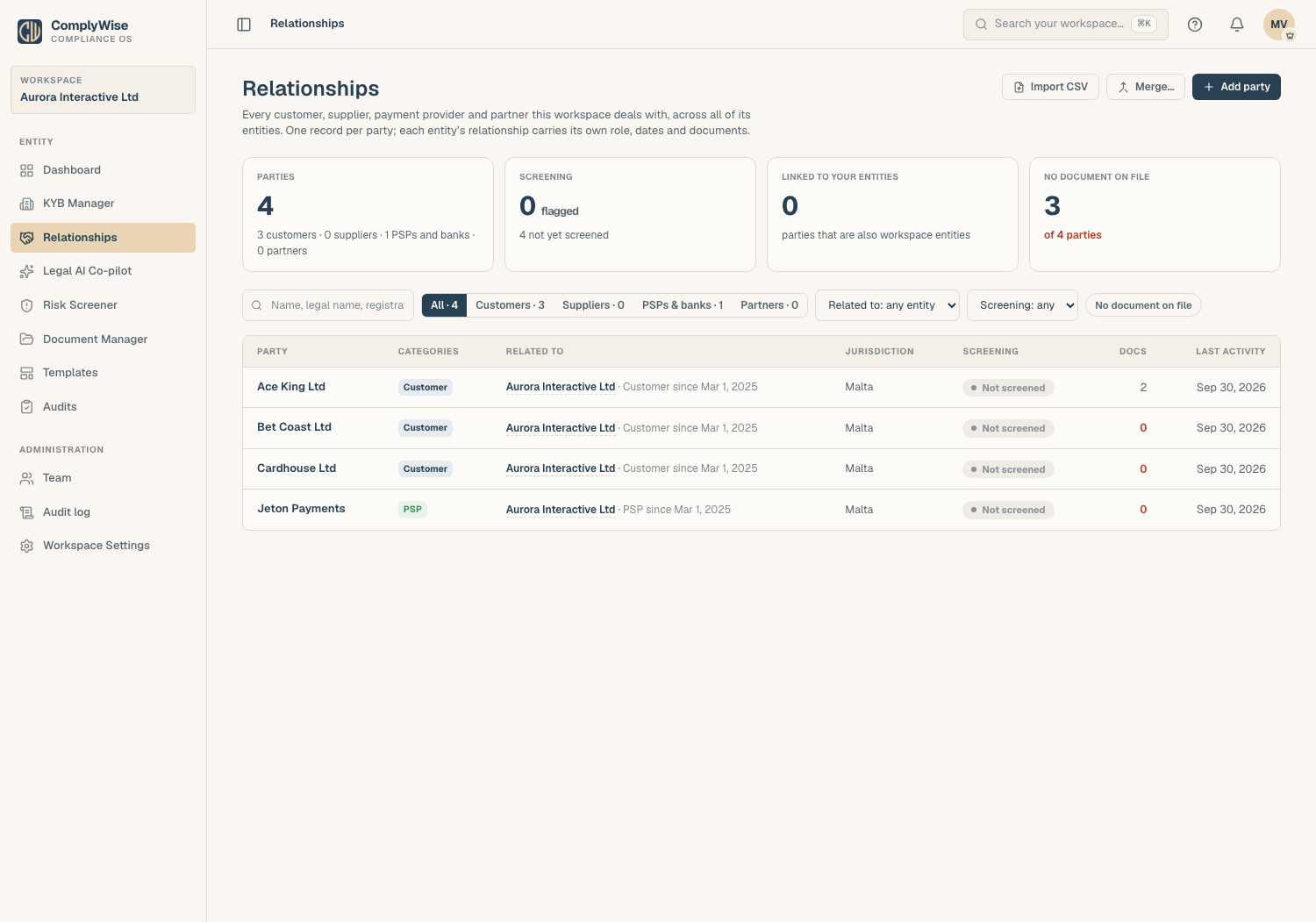
Each row is the party's card: its name, roles, which entities it relates to, its screening pill, and its last activity. Click a row to open the party page.
The party page
The party page holds everything about one party on a single page, with no tab strip:
- Identity: company or individual, legal name, jurisdiction, registration number, website, and the party's categories, in the header. Edit changes these, and the status. The header also carries the party's screening pill, a document count, the agreement term once a relationship document has been read, and the Status control (Active, Inactive, or Terminated) on the right, under the actions. From the register, the row menu's Edit party opens the same dialog.
- Also one of your entities?: when the party is also a company you keep a KYB record for (a group company that is also a customer, say), pick it in the Edit dialog. The party stays in Relationships, its KYB record stays in the KYB Manager, and the two link to each other. "No, an outside party" is the default.
- Relationships: every entity this party relates to, listed first, with the role, Since and Until dates, and the account reference. Add, edit, or remove a relationship here; see Add a relationship. The agreement's term and the documents are shown in the header and the document sections, not on this card.
- Documents: under each relationship, two sections: Relationship documents (the agreement, addenda, the fee schedule) and Counterparty KYB documents (the party's own corporate paperwork), each with placeholders for what the role expects and a count such as 2 of 3 expected on file. Documents open in their drawer right here; see Documents on a relationship.
- Notes: a rail on the right that stays in view, for onboarding history, open points, and contacts, with bold, italic, underline, and lists. It is the one place for notes about the party; notes typed on a relationship before this release were moved here, prefixed with the entity they were written against.
- Screening: the party's screening pill. A party is screened once and the result shows on every relationship it has; see Screen a company or person.
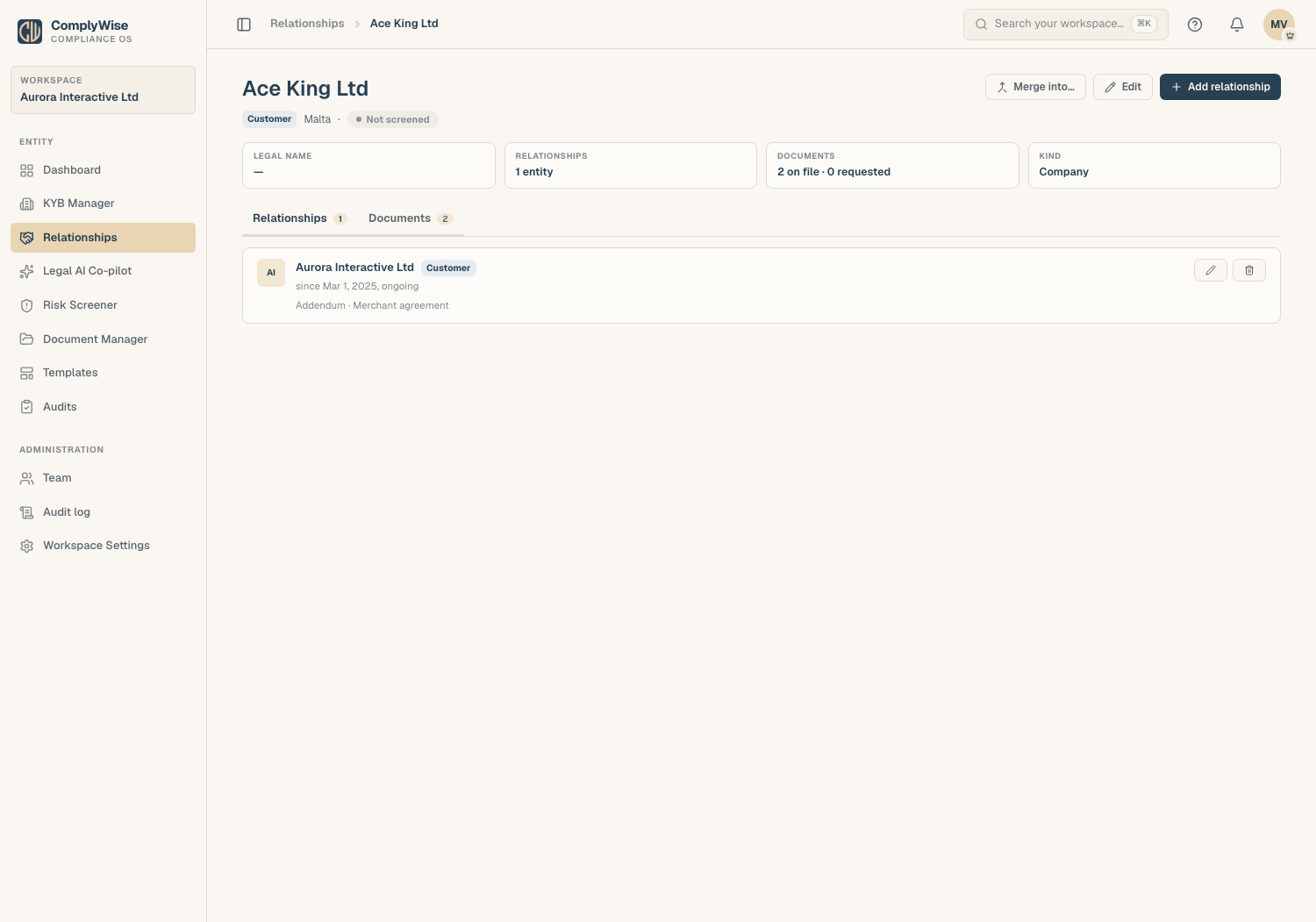
Merge into… folds a duplicate into this party, and Archive this party takes it out of the register and the duplicate check without deleting its history (you can create it again later).
Who can do what
Anyone who can view KYB records can read the register. Adding and editing parties and relationships needs the Contributor, Editor, or Workspace Admin role. Members restricted to specific entities see only the parties related to those entities.
Related articles
- Add a relationship: recording a party's dealings with an entity
- Documents on a relationship: placeholders, uploads, and requests from the party
- Import parties from a CSV and merge duplicates: bring an existing customer or supplier list in
- A tour of the KYB Manager: the entity record and its Relationships summary line
- Respond to audit items: cite relationships and capture lists as audit evidence