
Due diligence questionnaires from banks, PSPs, and partners are long and repetitive. ComplyWise imports the questionnaire, drafts answers from your entity's fact sheet and documents with sources on every answer, and exports a clean response pack once you approve.
Import a questionnaire
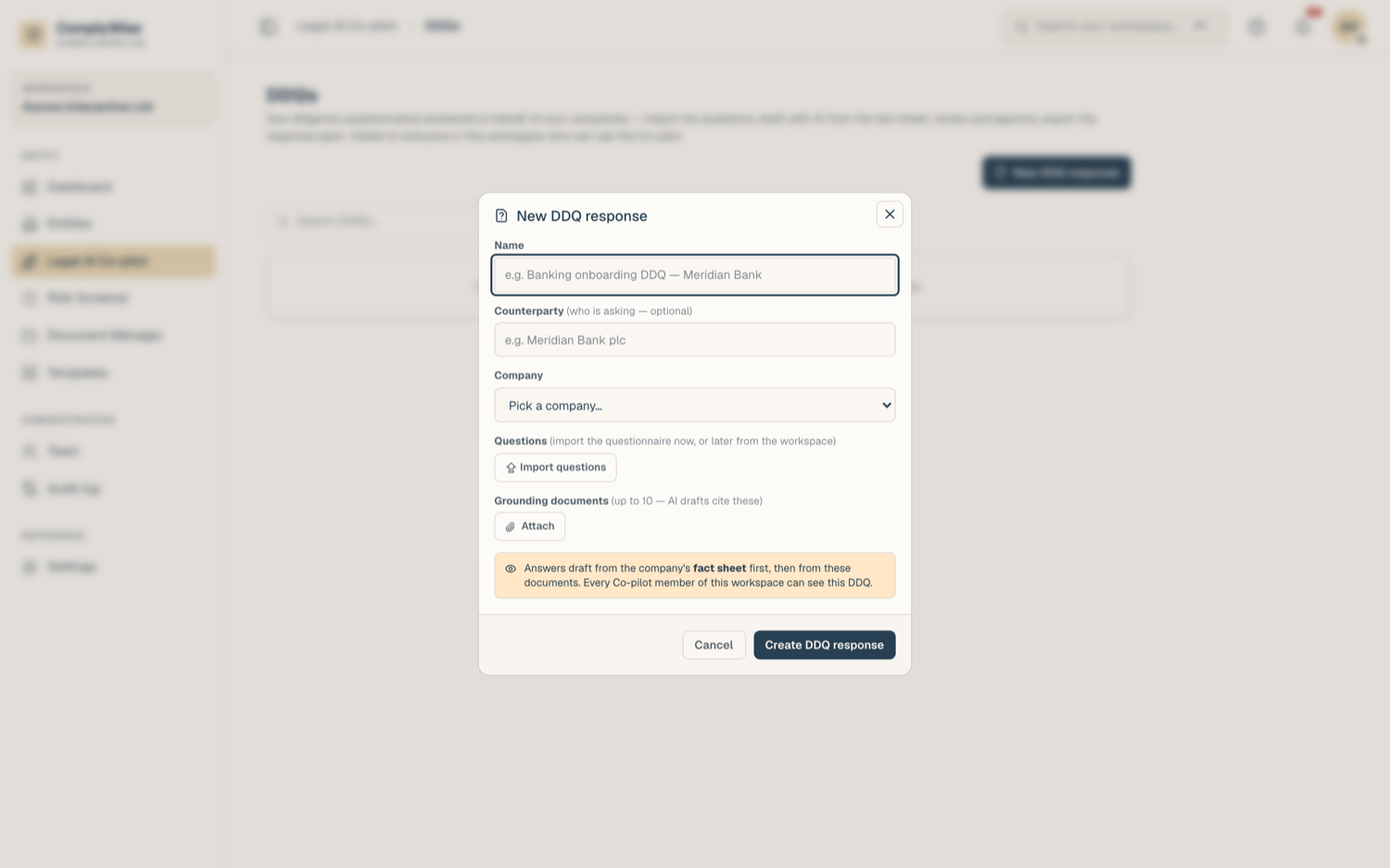
- Open Legal AI > DDQs and click New DDQ response. Pick the entity (and optionally a brand) it belongs to.
- Import questions: upload a PDF, Word, or Excel file, or paste the text. You can import at creation or add more batches later; multiple files merge into one questionnaire.
- The Copilot extracts the questions into an editable preview: fix wording, adjust sections, or drop rows. Nothing is saved until you confirm.
Draft answers
- Click draft (per question, or for everything unanswered).
- The Copilot drafts each answer from your fact sheet first, then from your indexed documents.
- Each drafted answer lists its sources: a fact from the fact sheet, or a document with page and quote. Click a source chip to see the passage and jump to it.
Drafting is metered per batch of questions, at 1 credit times the model multiplier per call; failed calls charge nothing. Answers that could not be drafted are marked honestly so you can redraft or write them yourself.
Edit and approve
- Edit any answer freely. The AI never overwrites text you have edited or approved.
- Approve an answer when it is final. Approved text locks and cannot be changed until you reopen it; the approval records who approved and when.
- Status chips track each question: unanswered, drafting, AI draft, edited, approved.
Export
- Click export and choose PDF or Word.
- By default the export contains approved answers only. Optionally include drafts: they are clearly marked DRAFT.
- Unanswered questions export as honest blanks, never invented text.
Brand-scoped DDQs
If your entity operates several brands, scope the DDQ to one brand at creation. Drafting then draws on that brand's fact sheet values where they differ from the entity-wide ones, so a per-brand questionnaire answers with the right details.
Tips
- Invest in the fact sheet before your first DDQ: it is the first source drafting reaches for, and one good fact sheet feeds every questionnaire after it. The sheet the drafting reads appears as a locked Fact sheet chip beside the grounding documents, in the New DDQ response dialog and on the DDQ page: it names the company (and the brand, when the DDQ is brand-scoped), shows how many facts it holds, and links to the Fact Sheet tab. Empty is your cue to fill it before drafting.
- Clicking New DDQ response twice does not create two questionnaires: a repeat of the same company and name within a few minutes reopens the one you just made.
- Members with AI access but no edit rights can read the DDQ but not change it.
Related articles
- Review tables: DDQ readiness as a review preset
- Ground answers in your documents: how document sources work
- AI credits: what is metered and what is free