
Screening rules decide how strict your workspace's verdicts are: match thresholds for entity screening, and the rulebook that turns wallet exposure into Flag, Review, or Clear. This article shows you what you can tune, and what is deliberately locked.
Before you start
- Editing rules requires the Workspace Admin role (workspace settings access).
- Changes apply to your workspace only, and take effect on the next screening run. Existing results are not retroactively recalculated until you re-screen.
Platform default vs workspace override
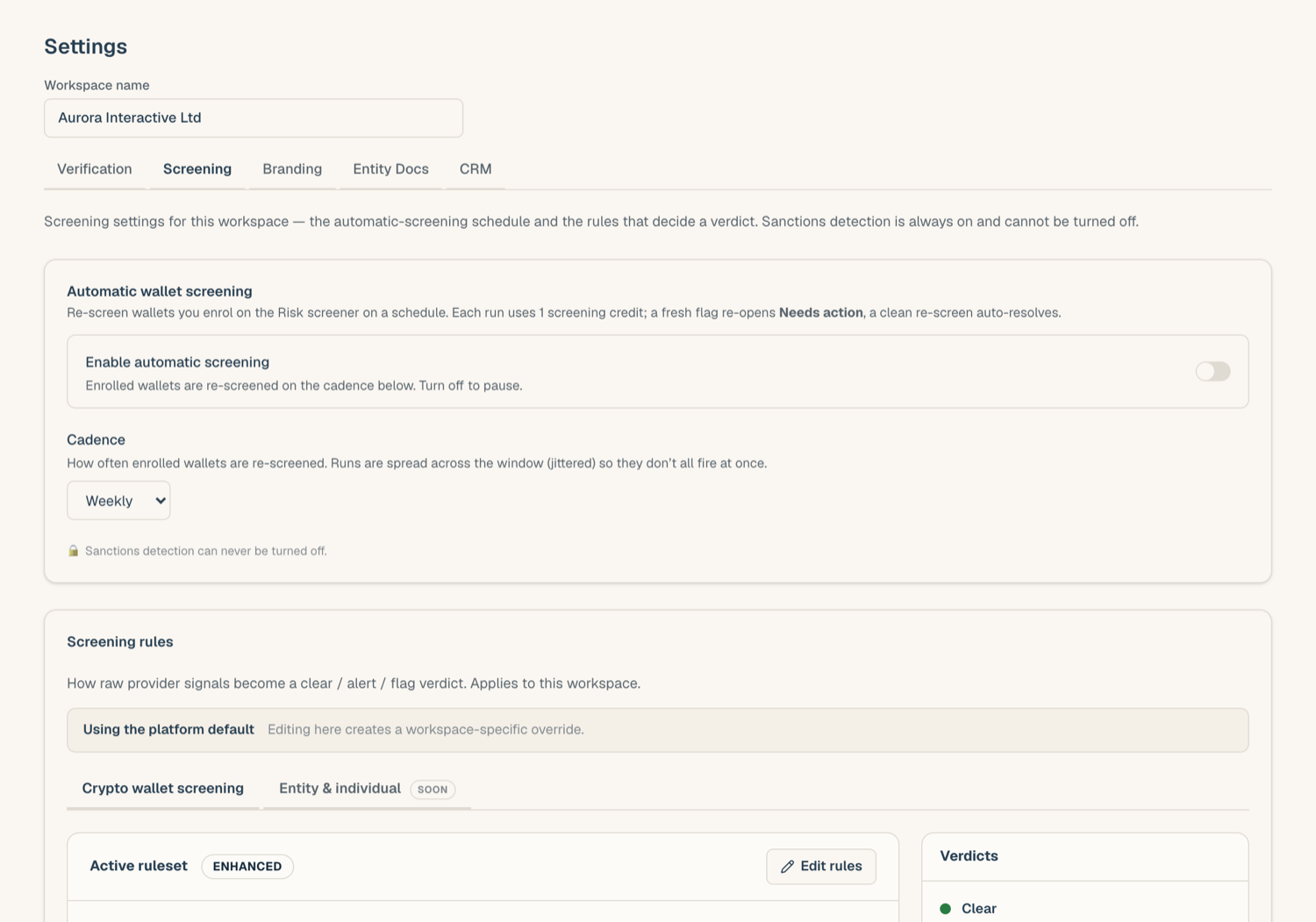
Every workspace starts on the platform default ruleset. The first time you save a change under Workspace Settings > Screening, your workspace gets its own override, and from then on your rules are yours.
- Reset restores the platform default at any time and discards your overrides.
- Custom trigger entries added at the platform level appear in your editor as locked rows: they always apply, and your own entries are added on top of them, never in place of them.
What you can tune
- Open Workspace Settings > Screening.
- Adjust any of the following, then save:
- Match threshold (entity screening). Only candidate matches scoring at or above this threshold are surfaced for review. Raising it cuts noise; lowering it casts a wider net.
- Tier overrides (wallet screening). Move an exposure category into a stricter or looser severity tier to match your risk appetite.
- Exchange softening. By default, certain strong signals are softened when the screened wallet belongs to a known exchange. Turn this off if you want exchange wallets judged on raw exposure.
- Custom sanction name patterns. Add name patterns that should always be treated at the highest severity, for example names from an internal blocklist. A match on one of these is handled like a top-tier hit.
- Wallet denylist entries. Add specific addresses (optionally per network) with a reason. A denylisted address is pre-flagged: the screen still runs and the evidence is kept, but the verdict is forced to Flag and the reason is shown on the report.
What is locked
Some rules cannot be weakened, by design:
- Sanctions severity is locked. Direct sanctions findings are always treated at the highest severity; no override can downgrade them.
- Network exposure never counts into the score. Counterparty hits are shown but can never be configured to add into an entity's inherent risk band.
- Top-tier categories cannot be downgraded. Tier overrides can move categories between the lower tiers, but nothing can be moved out of, or into, tier 1 severity by a workspace.
If your compliance policy needs something outside these bounds, contact support@complywise.io.
Related articles
- Screen a crypto wallet: how the rulebook shapes wallet verdicts
- Understanding screening results: the band model these rules feed
- Screening overview: what the Risk Screener covers