
When you sign in for the first time, your workspace is already set up and your own company is already there as the primary business entity. Your first job is simple: complete your own entity's KYB record before anything else.
What you'll find on first login
- Sign in with the credentials you set when accepting your invitation.
- You land on the Dashboard. At the top, a card headlines your company: its name, jurisdiction, registration number (once known), KYB readiness, and quick actions such as Open KYB Manager.
- The sidebar shows the modules enabled for your workspace; see Navigating the app for the full tour.
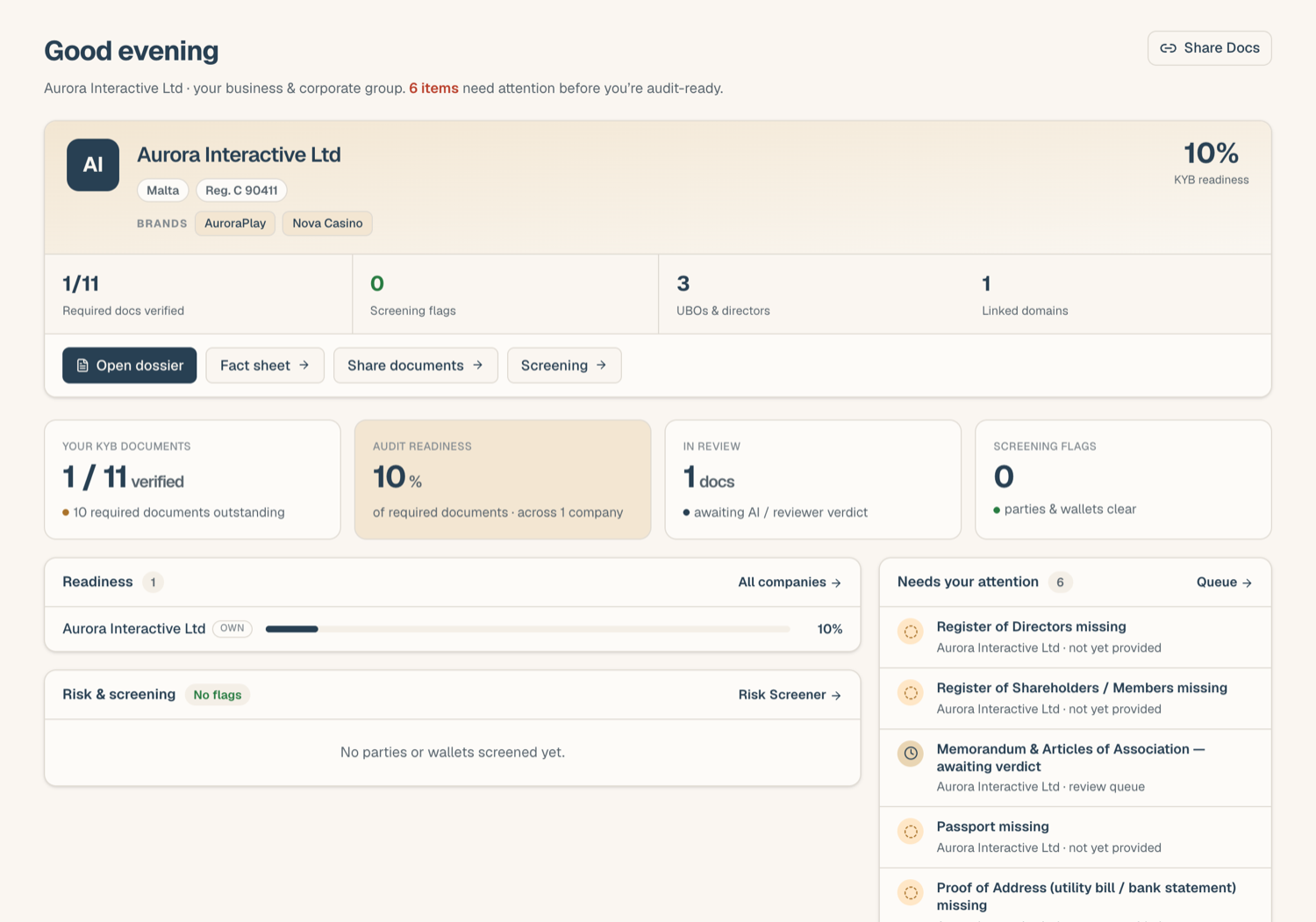
Your primary entity was created by the platform team when your workspace was provisioned, usually with the legal name and jurisdiction from your access request. If your dashboard instead invites you to add your company, add it there: that first entity becomes your primary one.
Start with your own entity
- From the dashboard card, click Open KYB Manager (or open KYB Manager in the sidebar and select your company).
- Open the Business Docs tab. This is the checklist of documents a bank, PSP, or regulator will ask for.
- Upload what you have, slot by slot; see Upload documents into your KYB record for the details. Extraction, verification, and expiry tracking run automatically as you go.
- Mark anything genuinely irrelevant as N/A so your readiness score reflects reality.
You don't need everything on day one. The readiness indicator tracks progress, and empty required slots are simply work still to do.
Why your own entity first
Everything else in ComplyWise builds on a filled KYB record: share links send it to counterparties, risk screening reads its ownership register, and the Legal AI Co-pilot (where enabled) grounds answers in it. If you try to add another entity while your own KYB record is still empty, the app shows a notice pointing you back to your own entity first: you can continue anyway, but finishing your own KYB record first is the intended path.
After the KYB record
Once your own entity is in shape:
- Add other entities (group companies, counterparties) from the KYB Manager page.
- Invite teammates from the Team page if you're a Workspace Admin; see Roles and permissions.
- Set your photo, timezone, and saved e-signature in your profile.
Related articles
- Upload documents into your KYB record: the upload flow step by step
- Navigating the app: sidebar, search, and notifications
- Accept your invitation: if you haven't signed in yet