
One legal entity often operates several brands, each with its own sites and its own answers to due-diligence questions. ComplyWise models brands as a structured registry on the entity, so brand-specific facts and domains stay organized instead of living in free-text notes.
Before you start
- Managing brands requires the Contributor, Editor, or Workspace Admin role.
- Brands belong to business entities; they're managed from the entity's Fact Sheet tab.
Add a brand
- Open the entity and go to the Fact Sheet tab.
- In the Brands card, open the manage dialog and add the brand by name.
- The brand appears as a chip on the Fact Sheet and on the workspace dashboard's company card.
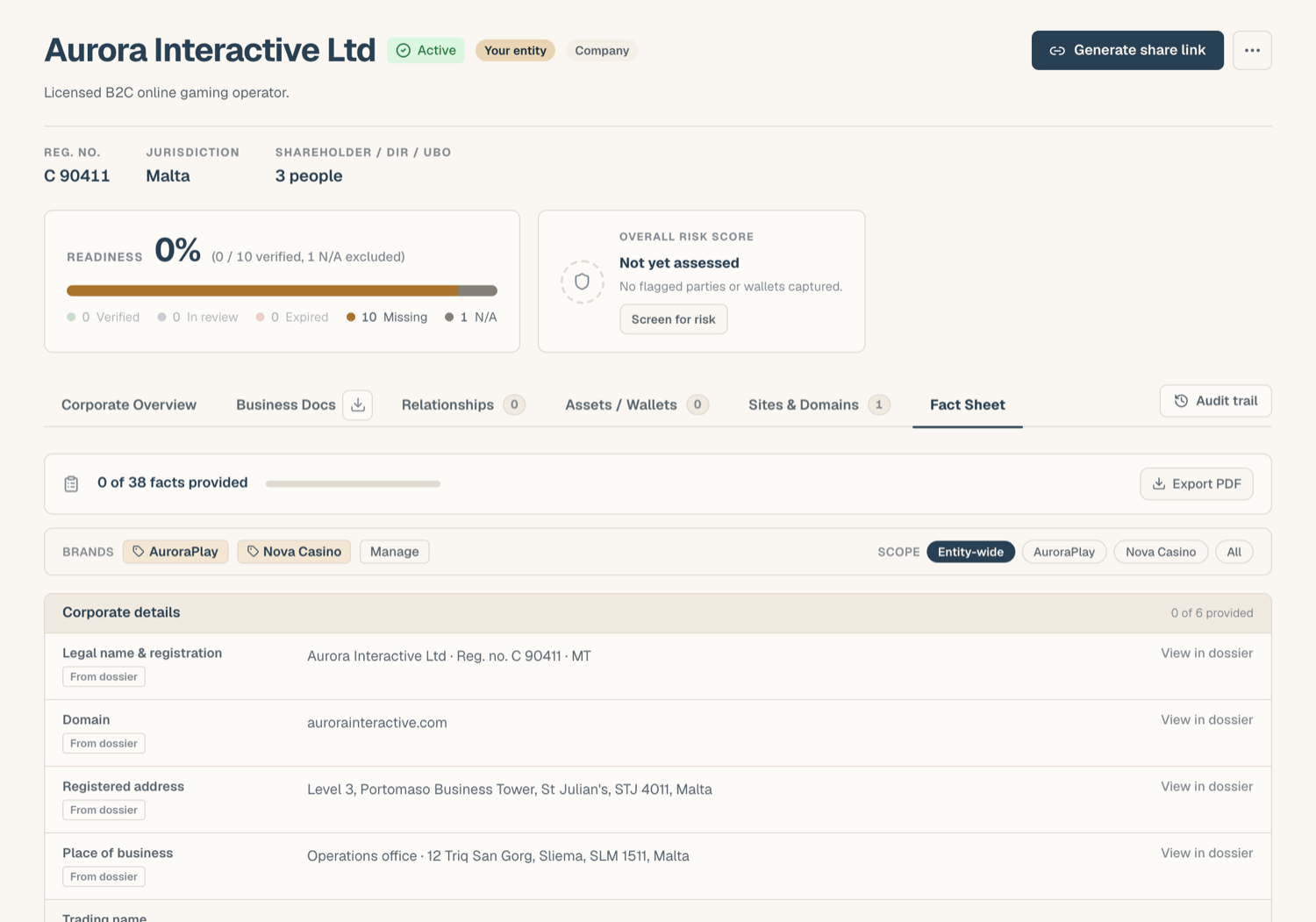
Archive a brand
Brands are archived, not deleted: a brand you stop operating keeps its history, it just stops appearing as an active choice. Archive it from the same manage dialog. If you resume the brand later, reactivate it.
Link domains to brands
On the entity's Sites & Domains tab, each domain can be linked to one of the entity's active brands. That connects the brand to its web presence, so anyone reading the KYB record can see which site belongs to which brand. A domain doesn't have to be linked to a brand; entity-wide domains are fine.
Brand-scoped facts
The real payoff is on the Fact Sheet: any curated fact can be scoped to a brand instead of the whole entity.
- An entity-wide fact answers for the company as a whole.
- A brand-scoped fact answers for that brand specifically, and wins over the entity-wide value wherever that brand is in view.
The Fact Sheet's scope filter lets you read the sheet as the entity, as one brand, or as everything together, and the PDF export lets you pick the scope too. This is how one entity gives different, correct answers per brand on a DDQ. See The Fact Sheet for the details.
Tips
- Brands are not entities. A brand has no separate KYB record or legal existence in ComplyWise; if the "brand" is actually a subsidiary company, add it as an entity instead: see Add a business entity.
Related articles
- The Fact Sheet: brand scope in practice
- Corporate overview & company details: the Sites & Domains tab
- Add a business entity: when it's a company, not a brand